What is the best approach for building a Docker image with plugins for running on the server?

Viewed 287

I need to run a service on the server, but I need to build a Docker image with the plugin version. So I'm not sure whether I should build it locally now or directly on the server, because it's always very slow on the server, takes a long time, and often gets stuck during the process.
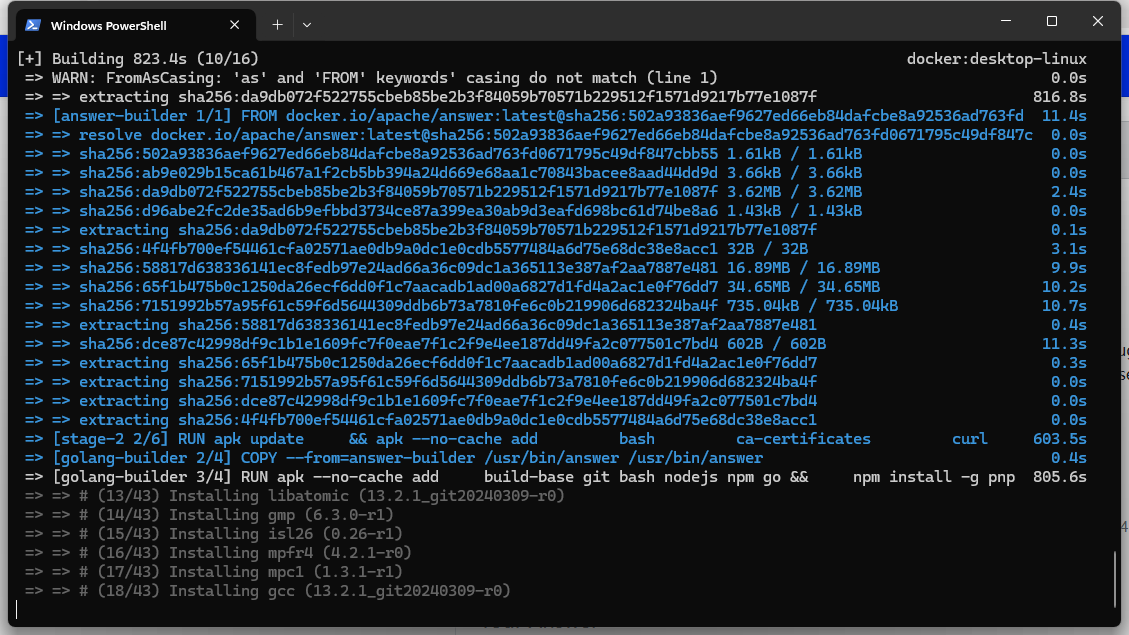
image.png

18/43 800s

2 Answers

You can build the docker image with the plugin locally or directly on the server.

Maybe because of the slow network in your country/region, you may need to add some mirrors.

RUN sed -i 's/dl-cdn.alpinelinux.org/mirrors.ustc.edu.cn/g' /etc/apk/repositories

RUN go env -w GOPROXY=https://goproxy.cn,direct

Even if for npm repositories.

FYI: https://github.com/apache/incubator-answer-plugins/issues/92#issuecomment-2008621877

When creating a Docker image with plugins, it is always best to keep things clean, modular, and maintainable. Instead of installing plugins manually every time the container is spun up, it is always better to have everything clearly defined in the Dockerfile. This way, your image is always reproducible and consistent across environments.

Begin with a minimal base image and install only the dependencies that you actually need. Install your plugins during the build process instead of during runtime. This way, your container will always be stable and free from unexpected behavior when deployed to production. It is also a good practice to split build tools from the final runtime image using multi-stage builds.

For server deployment, always test the image locally before pushing it to production. Make sure environment variables, volumes, and networking are properly configured. When running containers on dedicated servers for sale, performance and resource allocation matter — so monitor CPU, memory usage, and disk I/O to ensure your plugins don’t create bottlenecks.

Begin with a light-weight base image, and install only the dependencies you actually need. Install your plugins during the build process, rather than at runtime. This will keep your container stable and prevent unexpected behavior when running in production. It is also a good practice to split build tools from the final runtime image with multi-stage builds.