Image and File Upload Issues in Version 2.0.0

Viewed 131

I installed the latest Apache Answer (version 2.0.0) , but I’ve suddenly found that some features which previously worked are no longer functioning.

Issue 1: The file upload feature no longer works. I have already configured the allowed file extensions and the maximum file size.

Issue 2: I can now only upload images via the editor menu. Unlike before, I can’t paste screenshots directly from the clipboard anymore. I have also adjusted the relevant settings.

Does anyone know how to resolve this issue?

2 Answers

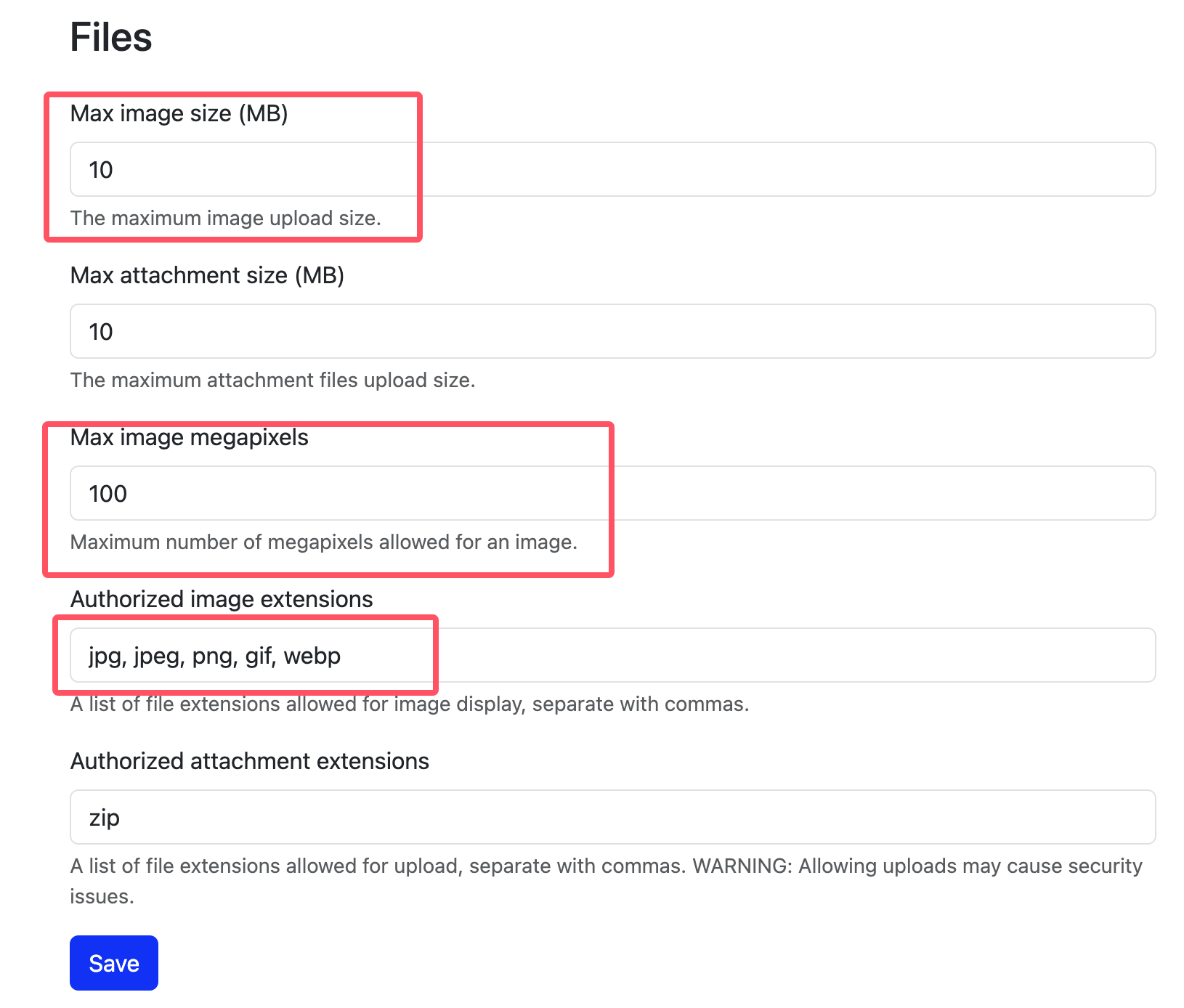
For the first issue, please check the backend settings at /admin/files.
I am unable to upload images in the official community. However, I can upload them on my own website after making the necessary settings.

I also noticed the second issue, which is that I can't upload by pasting screenshots.

@huanglaoshi

Thank you very much for your reply.

I have already configured the settings you mentioned in your response.

Perhaps my user privileges are insufficient—I am currently unable to upload images. Below is the copied configuration information:

Configuration Path: Admin --> Advanced --> Files
Configuration Settings:

  • Max image size (MB): 50
  • Max attachment size (MB): 500
  • Max image megapixels: 100
  • Authorized image extensions: jpg, jpeg, png, webp, bmp, gif, svg, ico
  • Authorized attachment extensions: zip, tar, gz, iso, rar, xz, gz, json, txt, tgz, bz2, txt, pdf, wps, html, htm, doc, docx, xls, xlsx, et, ppt, pptx, dps, 7z

However, when I attempt to paste an image from the system clipboard or upload a file, it continuously displays "Uploading..." and the upload area shows "Uploading...".