I installed the redis plugin and enabled it, but forgot to configure it. Then when I restart the container, I need to log in again, because Redis is not configured, I can't log in, what should I do?
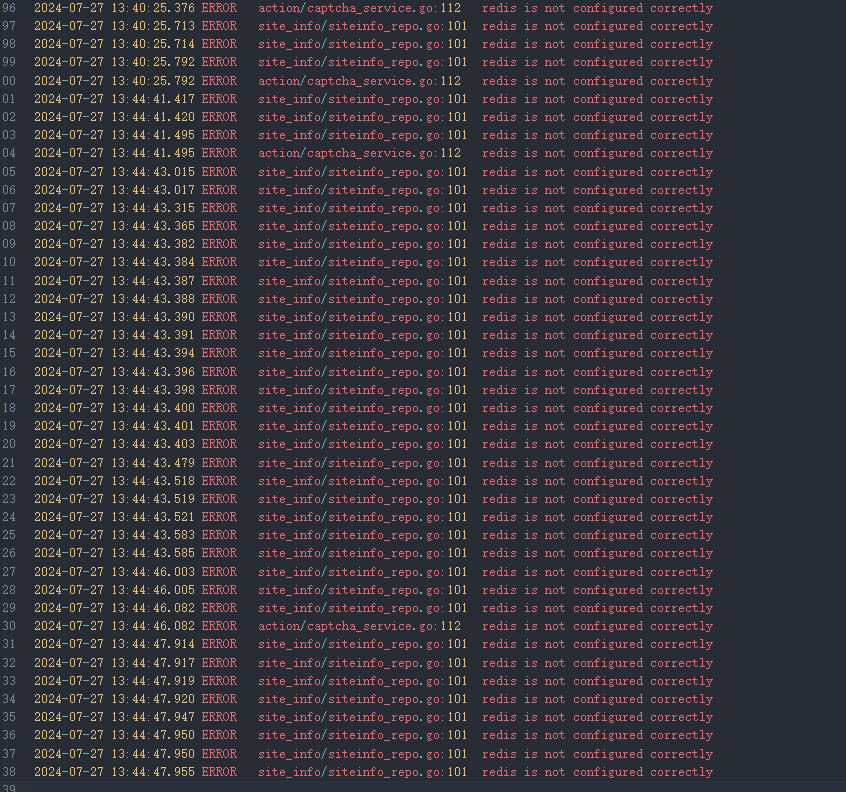
I installed the redis plugin and enabled it, but forgot to configure it. Then when I restart the container, I need to log in again, because Redis is not configured, I can't log in, what should I do?
This is indeed a problem, for now you can try starting with a version of Answer without the redis plugin. Or you can just delete the redis configuration and cache files from plugin_config in the database and restart. This is indeed an issue; we will fix it later. Thanks for the feedback.
In fact, I've tested both methods before you get back to me.
My final solution was to temporarily install a redis, guess the generated json value according to the plugin code, and then manually fill in the database plugin_config, restart the container, and return to normal